








As a company administrator, you can enable advanced risk checks for your company using the Advanced risk setting.
When enabled, you can then configure near/far price reasonability settings and configure market depth checks for all products on a per account basis.After enabling the advanced risk checks, the near/far price reasonability settings can be configured as part of the account position limits settings.
To enable advanced risk checks:
- Click Company Settings | Settings in the left navigation pane.
- Click the Profile tab.
- In the Preferences section, check the Advanced Risk checkbox.
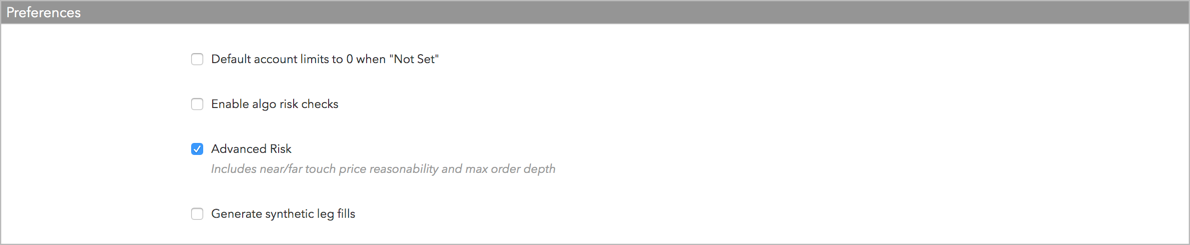
When the checkbox is unchecked, the functionality is disabled. This checkbox is unchecked by default.
- Click Save Changes.
Advanced risk is now available for all accounts in your company. These risk checks are only applied when configured for an account.